Save
Hele Kip Met Groenten Uit De Airfryer

Hele Kip Met Groenten Uit De Airfryer

35 minutes
5 servings

Ingredients

Benodigdheden

  • whole chicken
    1 pc hele kip
  • white onion
    1 pc witte ui
  • garlic cloves
    3 clove knoflookteentjes
  • carrots
    2 pc wortelen
  • parsnip
    1 pc pastinaak
  • red onion
    1 pc rode ui
  • butter
    35 g boter
  • rosemary sprigs
    3 sprig takjes rozemarijn
  • dijon mustard
    2 tbsp Dijon mosterd
  • olive oil
    2 tbsp olijfolie
  • honey
    2 tbsp honing

Instructions

Instructies

  • 1
    Verwarm de airfryer voor op 175 graden. LET OP: Wanneer je de Cosori Dual Blaze gebruikt, is voorverwarmen niet nodig.
  • 2
    Haal de kip uit de koelkast en dep deze droog met een keukenpapiertje. Zorg ervoor dat het vel schoon en vochtvrij is.
  • 3
    Verwijder eventuele koordjes of touwtjes.
  • 4
    Snij de witte ui in 8 stukken.
  • 5
    Schil één van de wortelen en snij deze in grove stukken.
  • 6
    Laat de schil om de knoflookteentjes.
  • 7
    Snij de boter in kleine stukjes.
  • 8
    Steek de ui, knoflook, wortel, boter en de takjes rozemarijn afwisselend in de holte van de kip. Op deze manier worden de smaken goed verdeeld.
  • 9
    Meng de mosterd met de olijfolie en honing tot een egale dressing. Gebruik een kwastje om de kip royaal te bestrijken.
  • 10
    Schil en snij de tweede wortel in grove stukken.
  • 11
    Pel de rode ui en snij deze in 4 stukken.
  • 12
    Was de pastinaak en halveer deze over de lange zijde. Snij deze daarna in grove stukken.
  • 13
    Plaats de kip in de mand van de Cosori Dual Blaze en verdeel de groenten gelijkmatig hier omheen.
  • 14
    Kruid de groenten en kip met peper en zout en kies voor de “Chicken” modus.
  • 15
    Grill de kip en groenten samen op 195 graden voor 25 minuten.
  • 16
    Tip: Tegen het einde van de baktijd kunnen de vleugels van de kip wat donkerder worden doordat de dressing karamelliseert. Heb je dit liever niet? Plaats dan aluminiumfolie over de kip. Zorg ervoor dat deze niet direct op de kip plakt, zodat dit niet vast komt te zitten.
  • 17
    Na 25 minuten is jouw maaltijd klaar om op te dienen.
Made with

Save recipes

from anywhere

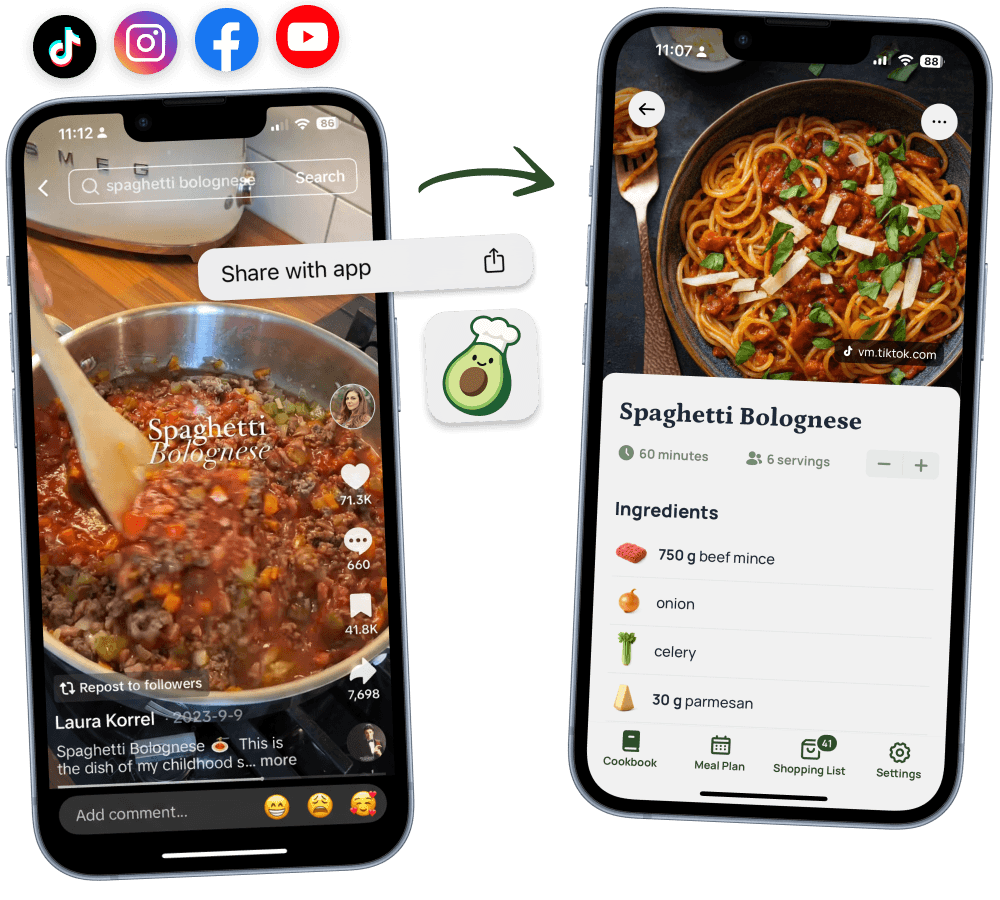
Save recipes from TikTok, Instagram, and any website – even photos of cookbooks and handwritten notes.

App StorePlay Store

4.8

Star Rating

10.000+

Happy Cooks

Import Recipe

Never lose

a recipe again

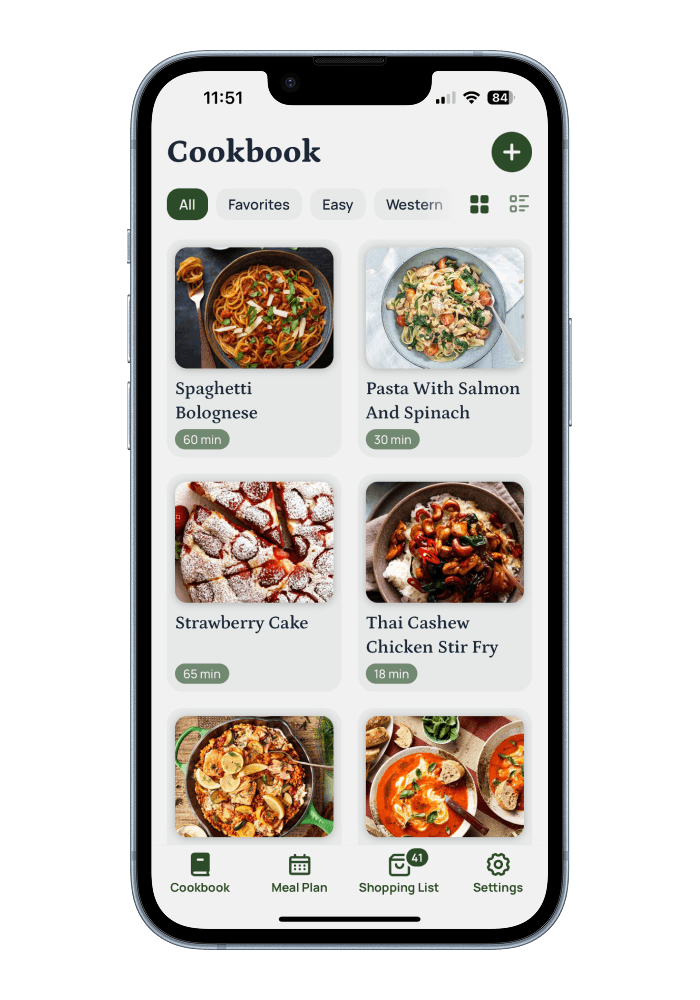
All your recipes organized in one place. Your personal cookbook, always in your pocket—ready whenever inspiration strikes.

App StorePlay Store
Avocadish Cookbook

Calorie count

in seconds

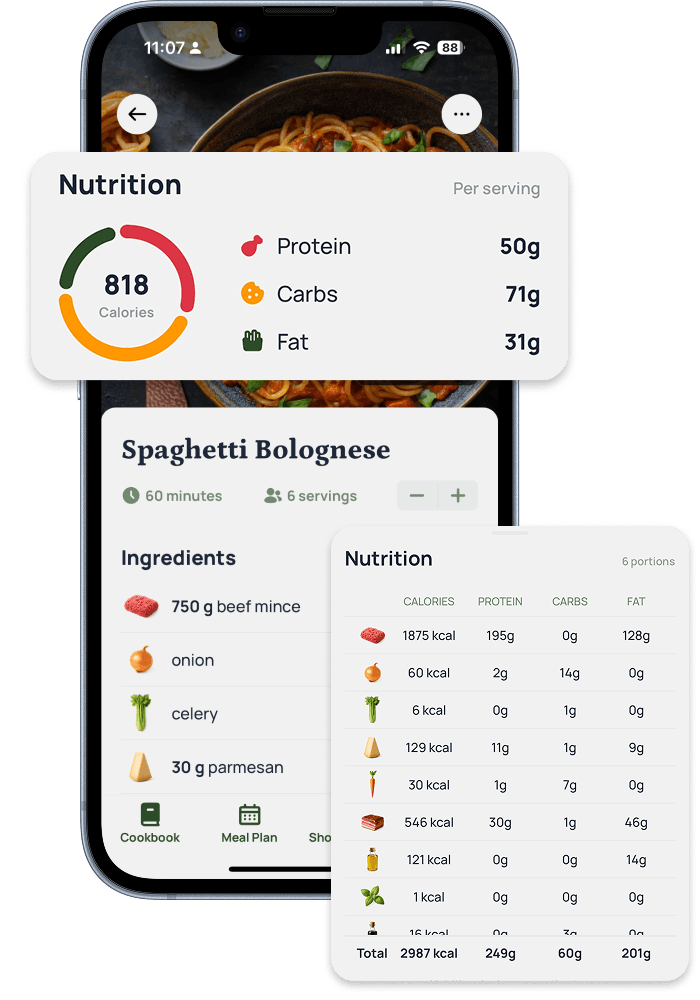
Every recipe comes with detailed nutrition info—calories, protein, carbs, and fat. View totals per serving or dive deep into each ingredient's breakdown.

App StorePlay Store
Nutrition Information

Meal plan

like a pro

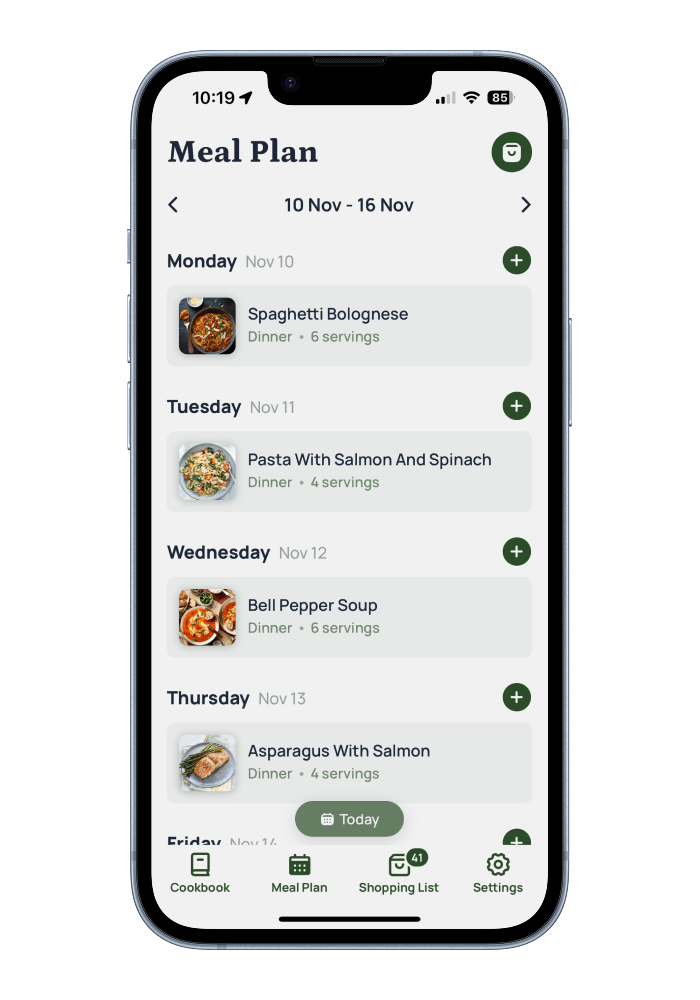
Organize your meals with a weekly planner. Add recipes to any day, adjust servings, and see your entire week at a glance. Meal planning made simple.

App StorePlay Store
Meal Planning

Automatic

grocery lists

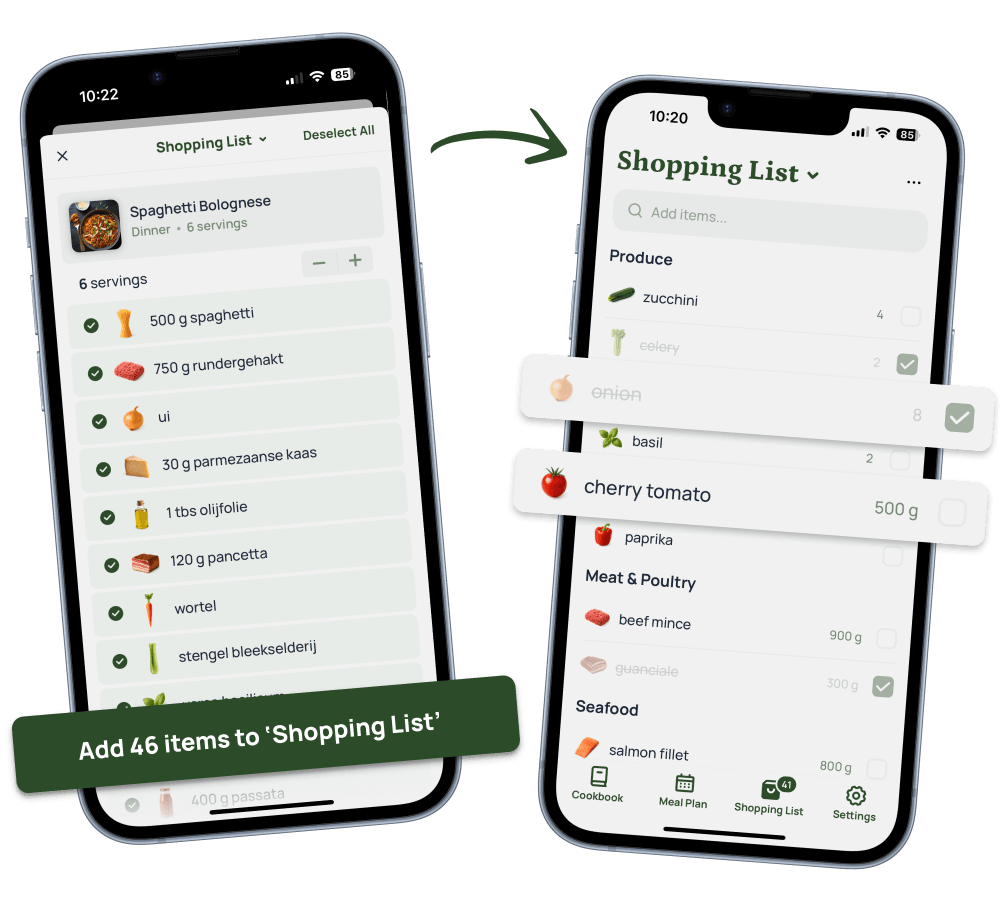
Turn your meal plan into a smart shopping list instantly. Ingredients are automatically organized by category, with quantities calculated for you. Check items off as you shop.

App StorePlay Store
Shopping List

4.8

Star Rating

10.000+

Happy Cooks

Worth every penny

I have imported all my saved recipes from Tiktok and Instagram. I'm addicted to this app! And the ingredients look so good.

Rachel Y.

Rachel Y.

Beautiful cookbook

I love how easy it is to create recipes from Tiktok videos! Now I have a beautiful digital cookbook.

Lara K.

Lara K.

Easy meal planning

Love how easy it is to create meal plans and grocery lists. I used to create notes, but now I just export the meals to my grocery list! Huge time saver!

Justin D.

Justin D.

Questions, Answered

Which platforms can I import recipes from?

Save recipes from your favorite social media platforms and websites. Import from Instagram, TikTok, Facebook, Pinterest, YouTube, and thousands of recipe blogs. You can even capture recipes from photos of cookbooks or handwritten recipe cards.

Is there a free plan available?

Yes! Our free plan lets you import up to 10 recipes at no cost. You'll have access to all core features including recipe organization, mealplans, and grocery lists. Upgrade anytime to unlock unlimited recipe saves and advanced features.

What sets Avocadish apart from other recipe apps?

Avocadish combines powerful AI with a beautiful, intuitive interface. Our smart recipe extraction works across more platforms than any other app, while automatic nutrition calculations save you time. Every recipe is instantly synced across your devices and saved in the cloud.

How reliable is the recipe extraction from photos?

Our AI-powered extraction technology delivers highly accurate results from photos, screenshots, and even handwritten recipes. The system intelligently identifies ingredients, quantities, and cooking instructions. Accuracy depends on image quality and whether all details are clearly visible in your photo. While results are excellent in most cases, you can always edit any details to ensure perfection.

Can I import recipes from my favorite food blogs?

Absolutely! Import recipes from virtually any recipe website or blog. Simply share the webpage directly to Avocadish, and we'll extract all the important details—ingredients, instructions, photos, and more — automatically.

What happens to my recipes if I downgrade to the free plan?

All your recipes stay safe and accessible. You can still view, cook from, and organize all previously saved recipes. The free plan only limits importing new recipes to 10 total. You won't lose any of your existing content when you switch plans.